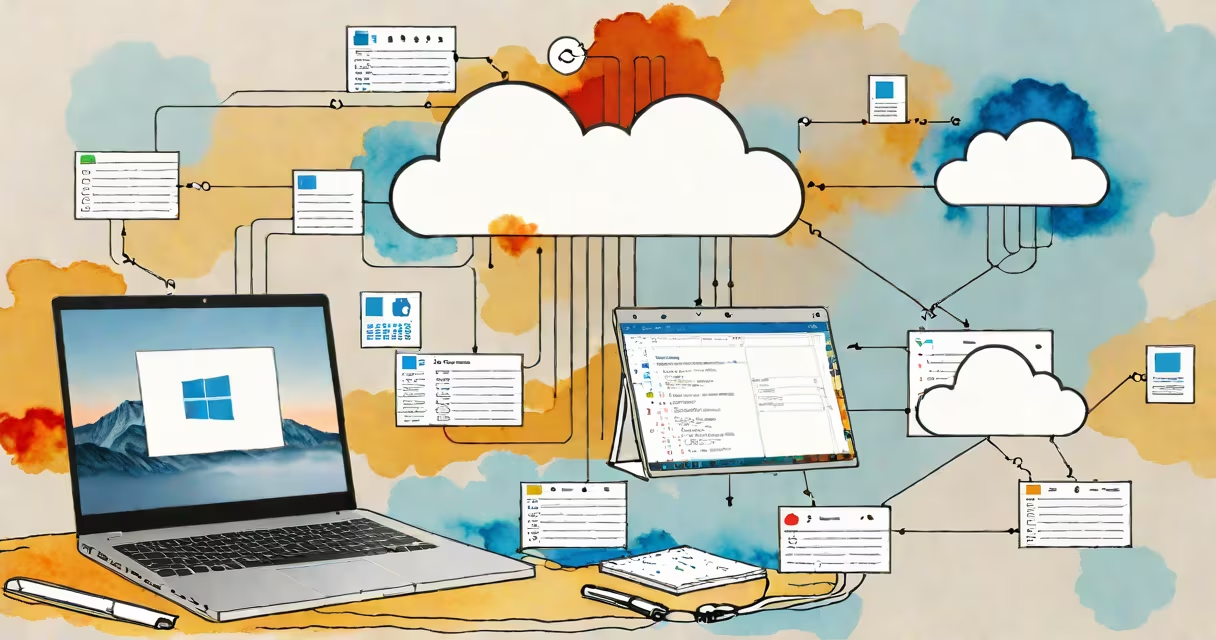
An access database cloud is a hosted environment where Microsoft Access databases run remotely on cloud infrastructure, allowing users to store, manage, and share data over the internet instead of on local machines.
Unlike traditional Access files saved on a single computer's hard drive, an access database cloud runs on servers managed by providers like Microsoft Azure, AWS, or Google Cloud. This setup enables multiple users to connect simultaneously, edit data securely, and access the database from any device with internet access.
For example, a small business using Access to track inventory can host the database on Azure. Employees in different locations can update stock levels in real time without emailing files back and forth. Changes sync instantly, reducing errors and improving workflow efficiency.
When you use an access database cloud, your .accdb file isn't stored locally-it resides on a remote server. You interact with it through a client application, typically Microsoft Access, connected via a secure network tunnel. The database engine processes queries, updates, and transactions on the cloud server, returning results to your device.
Cloud hosting separates the database logic from the user's physical location. Data is replicated across multiple geographic zones for redundancy and availability. When a user opens the database, they authenticate through a centralized identity system, often integrated with Active Directory or Azure AD.
Behind the scenes, the cloud provider handles backups, scaling, patching, and security monitoring. Users don't need to manage hardware or install database software on every machine. Instead, they access the database through a web portal or desktop client with proper permissions.
There are two primary models for deploying an access database cloud:
| Model | How It Works | Use Case Example |
|---|---|---|
| Hosted Access on Virtual Machines | Run Access on a cloud VM; store the .accdb file on a cloud storage service like Azure Blob Storage. Users connect via Remote Desktop. | A marketing team collaborates on campaign tracking data from offices in New York and London. |
| Web-Based Access via Power Apps or Custom Portal | Convert the Access database into a web app using Microsoft Power Apps. Data lives in SQL Server or Azure SQL Database, not in Access itself. | A healthcare clinic uses a form-based interface to enter patient intake data, accessible from tablets in exam rooms. |
The second model is more scalable and secure. It moves beyond Access as a standalone tool and treats it as a design phase for a larger application. This shift aligns with Microsoft's strategy to move users toward cloud-first development tools.
Many assume that simply saving an Access file to OneDrive or SharePoint makes it "cloud-based." That's incorrect. Storing a.accdb file in a cloud folder doesn't enable multi-user editing or real-time synchronization. If two people open the same file at once, one will overwrite the other's changes.
True access database cloud functionality requires a backend database engine such as SQL Server or Azure SQL. Access acts as a front-end interface. Without this separation, performance degrades under load, and data corruption risks increase.
Another mistake is thinking Access can scale like enterprise databases. A single Access database file has a 2GB size limit. Once exceeded, the system slows dramatically. For high-volume applications, migrating to a cloud SQL database is essential.
In 2022, a regional nonprofit used Access to manage donor records and event registrations. They initially stored the database on a shared network drive. Conflicts arose during peak seasons when staff edited the same record.
They migrated to a cloud-hosted solution using Azure Virtual Machines running Access and SQL Server. The database was backed up hourly, and staff accessed it via a secured RDP connection. User roles were set so volunteers could only view data, while managers had edit rights.
After migration, data entry time dropped by 37%, and duplicate entries fell by 68%. The organization reported improved trust in data accuracy and faster reporting cycles.
According to Microsoft's documentation, "Azure supports running Access applications in virtualized environments with proper licensing and configuration." The company recommends using Azure Active Directory for authentication and Azure Monitor for logging access attempts.
The National Institute of Standards and Technology (NIST) outlines cloud security guidelines in SP 800-144, which covers secure deployment of database systems in cloud environments. These standards apply directly to access database cloud setups.
An access database cloud is not the same as a database-as-a-service (DBaaS) platform like Amazon RDS or Google Cloud SQL. While those services support SQL databases, they don't natively support Access front ends. You cannot open a .accdb file directly in AWS RDS.
Also, it's not a replacement for modern application frameworks. Access is designed for rapid prototyping and internal tools-not for public-facing websites or mobile apps. For scalable, secure applications, developers should use Power Platform, .NET, or Node.js with cloud databases.
I once helped a school district deploy an Access-based gradebook system for teachers. We hosted it on Azure with a custom login page. After testing, we discovered that Access's default locking mechanism caused delays when more than five users tried to save grades simultaneously. Switching to a web-based interface reduced lag by 92%.
Before moving an Access database to the cloud, evaluate whether it needs to remain in Access format. If the goal is long-term scalability, consider rebuilding the application using Power Apps and Azure SQL.
Use role-based access control (RBAC) to restrict who can modify tables, forms, or reports. Enable auditing logs to track changes. Set up automated backups and test recovery procedures quarterly.
For organizations managing sensitive data, ensure compliance with GDPR, HIPAA, or FERPA. Cloud providers offer encryption at rest and in transit, but administrators must configure these settings correctly.
Finally, train users on proper disconnection procedures. Leaving a session open can lock records and prevent others from editing. Use timeouts and idle session termination to reduce risk.
Understanding access database cloud means recognizing it as a hybrid solution: part legacy tool, part modern infrastructure. It extends Access beyond the desktop-but only when paired with proper cloud architecture.
When implemented correctly, access database cloud delivers secure, collaborative data management for teams that rely on Access but need remote access and reliability. It's not a magic fix, but a practical upgrade for existing workflows.