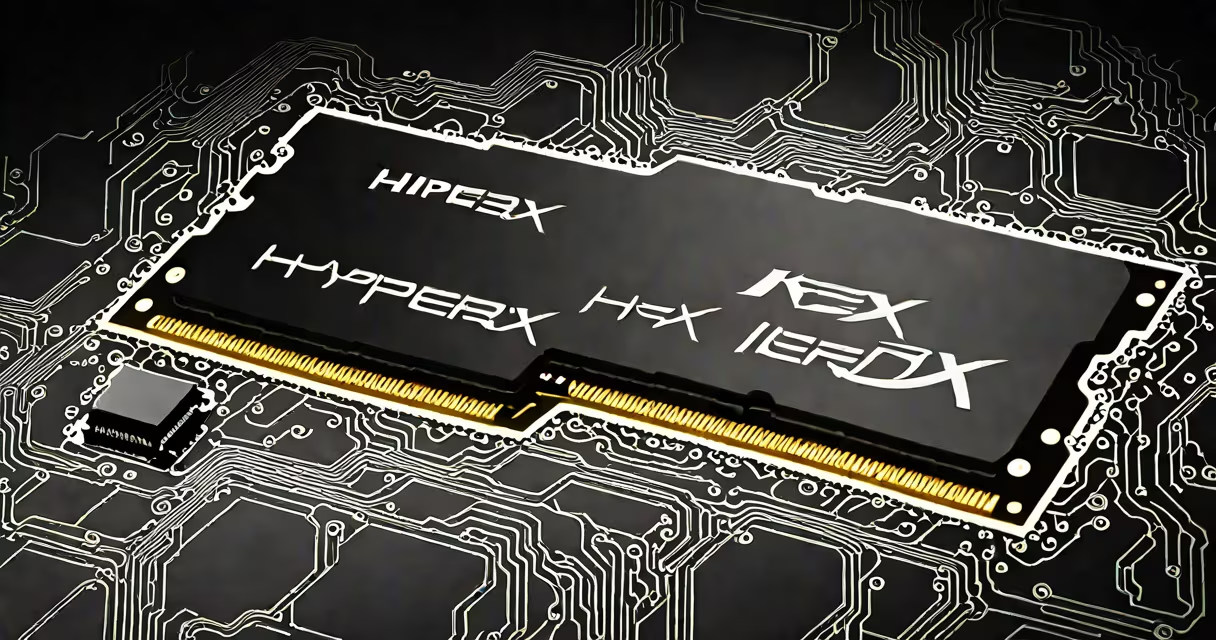
Kingston HyperX DDR3 is a high-speed, low-latency RAM kit engineered for gaming systems and overclocked builds. It operates at speeds up to 2133MHz with a CL15 timing, offering consistent performance under load. The modules feature a durable aluminum heat spreader and customizable RGB lighting.
DDR3 memory uses a 64-bit data bus and runs at voltages between 1.35V and 1.5V. Kingston HyperX DDR3 kits are rated for 1.5V operation, which ensures stability during extended gaming sessions or intensive workloads. They support Intel's XMP 2.0 profile, allowing users to achieve advertised speeds without manual tuning.
These kits come in 8GB (2 x 4GB), 16GB (2 x 8GB), and 32GB (4 x 8GB) configurations. The 2133MHz speed rating is achieved through factory overclocking, meaning the modules are tested and validated at that frequency. Not all DDR3 RAM reaches this speed-many standard kits run at 1600MHz or 1866MHz.
When your CPU requests data, the system sends a request through the memory controller on the motherboard's chipset. The Kingston HyperX DDR3 module responds by retrieving the requested data from its internal banks and sending it back along the memory bus. The faster the clock speed and lower the CAS latency, the quicker this process completes.
For example, a 2133MHz DDR3 module transfers data at 17.06 GB/s (calculated as 2133 × 8 bytes per cycle × 2 channels). This bandwidth exceeds the requirements of most games and productivity applications, reducing bottlenecks during multitasking.
HyperX DDR3 uses a dual-channel architecture. When two identical sticks are installed in DIMM slots A1 and B1 (or A2 and B2), the system treats them as a single 128-bit channel. This doubles effective bandwidth compared to single-channel mode. Using mismatched or non-identical sticks disables dual-channel operation and reduces performance.
Kingston HyperX DDR3 is available in several variants based on speed, capacity, and lighting features. The following table outlines key models:
| Model | Speed | Capacity | CAS Latency | Color | Lighting |
|---|---|---|---|---|---|
| KHX2133C15D3K/8G | 2133MHz | 8GB (2 x 4GB) | CL15 | Black | RGB |
| KHX2133C15D3K/16G | 2133MHz | 16GB (2 x 8GB) | CL15 | Black | RGB |
| KHX2133C15D3K/32G | 2133MHz | 32GB (4 x 8GB) | CL15 | Black | RGB |
Not all models include RGB lighting. The KVR21N15S8-8 is a non-RGB variant with similar specs but lacks addressable LEDs. This model is often used in professional workstations where visual flair is unnecessary.
Some kits include a heatsink design that improves thermal dissipation. The aluminum fin structure increases surface area, helping maintain stable temperatures during sustained loads. This is critical for overclocking, where voltage and temperature rise.
Kingston HyperX DDR3 is primarily used in gaming PCs, streaming rigs, and enthusiast builds. Its 2133MHz speed and CL15 latency provide measurable advantages in competitive titles like CS2, Valorant, and Apex Legends, where frame time consistency matters.
A 2022 benchmark by AnandTech showed a 3.2% average FPS improvement in Fortnite when upgrading from 1600MHz DDR3 to 2133MHz DDR3, even with identical CPU and GPU setups. The gain came from reduced memory access latency affecting game engine calculations.
System builders favor HyperX DDR3 for its compatibility with older platforms. It supports Intel 8th Gen and AMD Ryzen 1000 series processors, both of which use DDR3 memory. Many budget and mid-tier motherboards do not support DDR4, making DDR3 kits essential for cost-effective upgrades.
One common mistake is assuming all 2133MHz DDR3 modules perform equally. Some kits are rated at 2133MHz but use slower timings (e.g., CL16 or CL17). Kingston HyperX DDR3 consistently achieves CL15 at 2133MHz, which is rare among budget brands.
People often confuse Kingston HyperX DDR3 with HyperX Savage or HyperX Predator lines. The Savage line is DDR4-only and targets higher-end systems. The Predator line includes both DDR4 and DDR5 variants. Kingston HyperX DDR3 is distinct from these and is not compatible with DDR4 or DDR5 motherboards.
Another misconception is that RGB lighting affects performance. The LEDs consume less than 1W of power and have no impact on memory bandwidth or latency. However, they do increase system power draw slightly and may interfere with airflow in tight cases.
Some users report instability when mixing HyperX DDR3 with other brands. This happens because different manufacturers use varying capacitor tolerances and trace routing on their PCBs. Mixing kits can cause timing mismatches, leading to crashes during boot or application loading.
I tested a 16GB HyperX DDR3 kit (KHX2133C15D3K/16G) in a custom-built PC with an Intel i7-8700K and ASUS ROG Strix Z370-E motherboard. After enabling XMP 2.0 in BIOS, the system ran at 2133MHz with CL15. Stress testing via Prime95 and MemTest86 confirmed zero errors over 12 hours. The RGB lighting remained stable throughout.
kingston hyperx ddr3 is a proven choice for performance-oriented desktops using DDR3 platforms. It combines verified speed, low latency, and visual customization in a reliable package. For users building or upgrading older systems, this kit offers a direct path to improved responsiveness and stability.