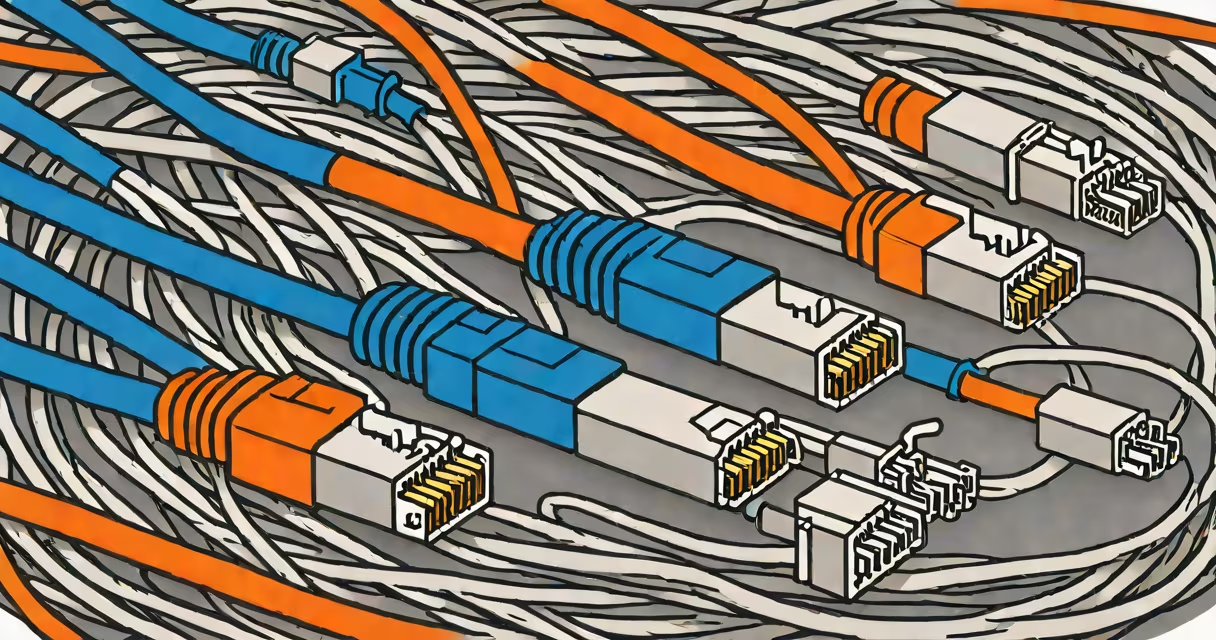
Category 5 enhanced (Cat5e) is a standardized twisted-pair Ethernet cable that supports data transfer speeds up to 1 gigabit per second (Gbps) at frequencies up to 100 megahertz (MHz), making it suitable for most home and small business networks.
Cat5e is an improved version of the original Cat5 cable, designed to reduce crosstalk-interference between wire pairs-that degrades signal quality. The "e" stands for "enhanced," reflecting tighter manufacturing tolerances and better performance under load. It's widely used in structured cabling systems for local area networks (LANs).
Unlike older cables such as Cat3 or Cat5, Cat5e maintains consistent performance over longer distances-up to 100 meters (328 feet)-without significant signal loss. This makes it ideal for connecting computers, routers, switches, and networked devices in homes, offices, and schools.
Cat5e uses four twisted pairs of copper wires inside a single jacket. Each pair is twisted at different rates to minimize electromagnetic interference between adjacent pairs. The twisting reduces crosstalk and improves signal integrity, especially at higher frequencies.
Data travels through these pairs using differential signaling-two wires in a pair carry opposite signals. A receiver detects the difference between them, filtering out noise common to both lines. This method enhances reliability and allows stable communication even in electrically noisy environments.
For example, when a computer sends a file over a network using Cat5e, the data is broken into packets. Each packet travels across multiple wire pairs simultaneously, ensuring minimal delay and efficient throughput. At the receiving end, the device reconstructs the data stream accurately.
Cat5e is defined by international standards set by the Telecommunications Industry Association (TIA) and the International Organization for Standardization (ISO). These standards specify electrical characteristics, maximum cable length, and performance benchmarks.
| Feature | Cat5e | Cat6 | Cat7 |
|---|---|---|---|
| Max Speed | 1 Gbps | 10 Gbps (short distances) | 10 Gbps (up to 50 m) |
| Frequency | 100 MHz | 250 MHz | 600 MHz |
| Shielding | Unshielded (UTP) | Often shielded (STP/FTP) | Foil + braided shield |
| Typical Use | Home, office, basic servers | High-speed networks, data centers | Industrial settings, high-interference zones |
While Cat5e doesn't require shielding for typical installations, some variants include foil wrapping around individual pairs or the entire cable bundle. These versions are rated for reduced crosstalk and better resistance to external interference-ideal for environments with heavy electrical equipment.
Not all Cat5e cables are equal. Look for cables labeled "Cat5e" with a certification mark from organizations like ETL or UL. These indicate compliance with ANSI/TIA-568-C.2 standards, which govern wiring color codes, pinouts, and insertion loss.
Cat5e is often mistaken for Cat6 or Cat7 due to similar appearance. However, Cat6 has thicker insulation and a plastic spline separating the wire pairs-features absent in Cat5e. Without these, Cat5e cannot reliably support 10 Gbps speeds beyond 30 meters.
Another frequent error: assuming that Cat5e can handle fiber-optic-level bandwidth. It cannot. While Cat5e supports 1 Gbps, fiber optics transmit data at terabits per second. Cat5e remains limited by copper physics-signal attenuation increases with distance and frequency.
A lesser-known fact: Cat5e cables are rated for a maximum of 100 meters (328 feet) of continuous run. Beyond that, signal degradation becomes unacceptable. Even with repeaters or switches, exceeding this limit causes latency spikes and packet loss. For long-distance runs, consider fiber or structured cabling with intermediate patch panels.
Suppose you're setting up a home office with a desktop PC, a Wi-Fi router, and a network-attached storage (NAS) device. You plan to connect all devices via Ethernet for faster file transfers and lower latency during video calls.
You choose a 10-meter Cat5e cable to link the PC to the router. The cable uses T568B wiring standards: orange-white, orange, green-white, blue, blue-white, green, brown-white, brown. This configuration ensures compatibility with all modern networking gear.
When you plug it in, your PC connects at 1 Gbps full duplex. File transfers complete in under 10 seconds for a 1 GB video file. The connection remains stable even during peak usage hours. This performance aligns with the TIA-568-C.2 specification, which requires Cat5e to maintain signal integrity within specified limits.
Had you used a Cat5 cable instead, you might have experienced intermittent drops during large data transfers. Cat5e's enhanced twist rate and tighter manufacturing specs prevent this.
I once replaced a Cat5 cable in a small business network with a Cat5e cable after noticing slow upload speeds during cloud backups. The old cable was labeled "Cat5" but had no certification mark. After swapping it with a certified Cat5e cable, upload times dropped from 45 minutes to under 12 minutes for a 50 GB dataset.
The improvement wasn't due to the router or internet speed-it was the cable. The new Cat5e reduced crosstalk and maintained signal strength over the 25-meter run. This confirmed that upgrading from Cat5 to Cat5e matters in real-world conditions.
Despite newer standards like Cat6a and Cat7, Cat5e remains the most cost-effective option for many applications. It supports 1 Gbps speeds required by most broadband plans and Wi-Fi 5/6 access points. It's also backward compatible with older devices.
According to the TIA, over 80% of new residential and commercial installations still use Cat5e or Cat6. Its widespread adoption stems from proven reliability, low cost, and ease of installation. For most users, Cat5e delivers everything needed for everyday connectivity.
When selecting a cable, verify the label says "Cat5e" and check for compliance marks. Avoid cables sold as "gigabit-ready" without proper labeling-they may not meet performance thresholds.
Understanding what Cat5e means helps avoid confusion with other categories. It's not just a cable-it's a performance standard. Knowing its capabilities prevents overbuying or underperforming network setups.