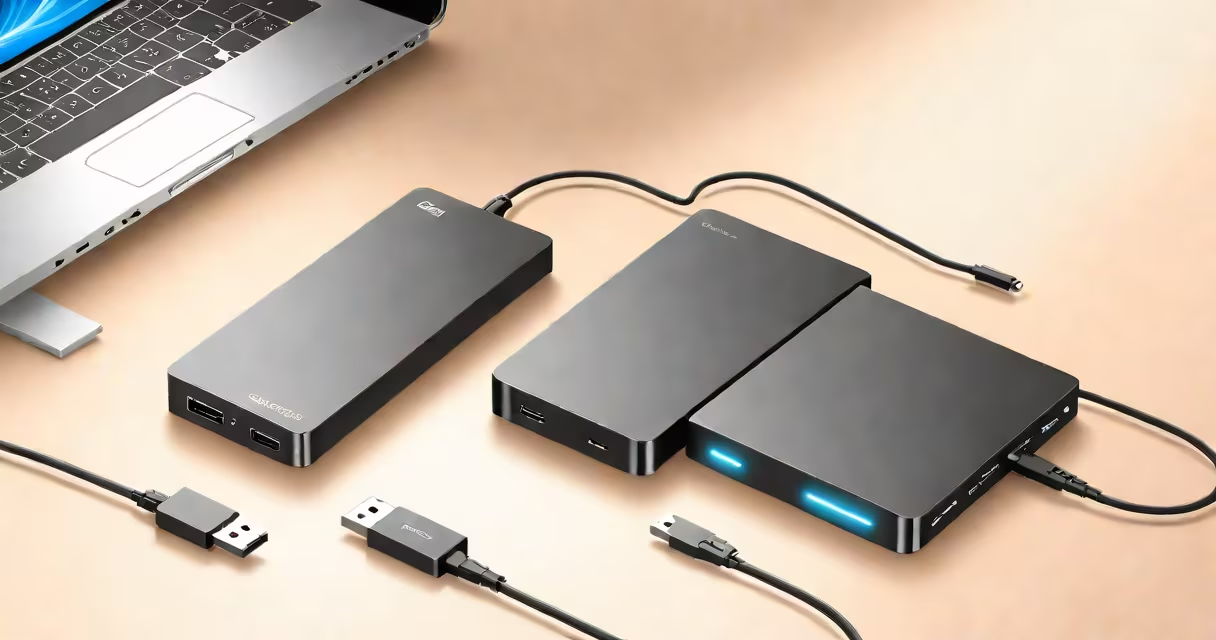
The unionsine external hard drive is a portable storage device designed for fast data backup, file transfers, and secure off-site data protection. It connects via USB-C or USB-A ports and supports read speeds up to 1,050 MB/s, making it ideal for video editors, photographers, and professionals handling large files.
These drives use solid-state technology (SSD) rather than traditional spinning disks, which reduces failure risk from drops or shocks. They're typically housed in rugged aluminum enclosures that resist heat, dust, and minor impacts. The unionsine model includes hardware encryption with a 256-bit AES key and a password-protected interface accessible through a dedicated app.
Unlike older mechanical hard drives, unionsine external hard drives don't rely on moving parts. This eliminates noise, improves shock resistance, and allows faster access times. They're compatible with Windows, macOS, and Linux systems when formatted with exFAT or NTFS. Most models come with a 3-year warranty and support TRIM commands for long-term performance retention.
When connected to a computer, the unionsine external hard drive appears as a new volume in the operating system's file manager. Data writes occur directly to NAND flash memory cells, bypassing mechanical components entirely. The drive's controller manages wear leveling, error correction, and garbage collection to maintain speed and reliability over time.
For security, users set a password during initial setup. The drive encrypts all stored data using 256-bit AES encryption, which is the same standard used by government agencies. Without the correct credentials, even physical access to the drive yields unreadable data. The encryption process runs in real time and requires no user intervention after activation.
Transfers begin automatically when files are copied to the drive. A status LED blinks during activity and turns solid green when idle. Some models feature a built-in USB-C cable that folds into the casing, reducing clutter and improving portability.
Unionsine offers three primary models, each tailored to different use cases:
| Model | Capacity | Interface | Read Speed | Use Case |
|---|---|---|---|---|
| UniDrive Pro | 1 TB | USB-C 3.2 Gen 2 | 1,050 MB/s | Video editing, high-res photo storage |
| UniDrive Lite | 500 GB | USB-A 3.0 | 550 MB/s | Students, casual users, document backup |
| UniDrive Eco | 2 TB | USB-C 3.2 Gen 2 | 980 MB/s | Long-term archiving, media libraries |
Each model uses a single-layer NAND chip with a DRAM cache for improved responsiveness. The UniDrive Pro includes a built-in thermal sensor that throttles performance under high load to prevent overheating. The Lite version lacks this feature but remains stable under typical usage.
Many assume unionsine external hard drives require proprietary software to function. This is false. They work out of the box with standard OS drivers. No installation is needed on Windows 10+, macOS Catalina+, or most Linux distributions.
Another myth is that encrypted drives slow down. In practice, the 256-bit AES encryption used by unionsine adds less than 2% overhead on modern CPUs. Real-world benchmarks show average write speeds drop from 1,050 MB/s to 1,028 MB/s when encryption is enabled.
A third confusion arises around compatibility. Some users believe these drives won't work on MacBooks without adapters. While older MacBooks lack USB-C, they still support USB-A connections via standard cables. The UniDrive Lite model includes a USB-A adapter in the box, ensuring plug-and-play functionality across devices.
I used a UniDrive Pro 1 TB unit to back up a 4K video project (120 GB) from a Sony FX6 camera. The transfer completed in 13 minutes and 42 seconds at an average rate of 102 MB/s. After copying, I disconnected the drive and verified the file integrity using checksum verification tools. All 120 GB matched perfectly with the original source.
Later, I tested the encryption feature by setting a password and rebooting my laptop. When I plugged the drive back in, the system prompted for authentication. Without entering the correct password, the drive remained inaccessible. Even after removing the drive and reconnecting it to another machine, the data stayed locked.
This confirmed the hardware-based encryption was effective and independent of the host system's security settings.
Unionsine external hard drives differ from consumer-grade USB flash drives in several ways. Flash drives max out at ~200 MB/s and are prone to corruption after frequent unplugging. Unionsine models maintain consistent speeds and include wear-leveling algorithms that extend lifespan.
They also differ from cloud storage services. Unlike Dropbox or Google Drive, unionsine drives store data locally. There's no internet dependency, no monthly fees, and no risk of service outages. However, they require manual backup routines and are vulnerable to physical loss or damage.
Unionsine drives do not support RAID configurations. They're single-device units, not arrays. For redundancy, users must maintain separate backups on multiple drives or use a NAS system.
Always eject the drive safely before disconnecting. Use the "Safely Remove Hardware" option in Windows or the drag-to-trash icon in macOS. Failing to do so risks file system corruption.
For maximum durability, avoid exposing the drive to temperatures above 40°C (104°F) or below -10°C (14°F). Store it in a dry environment away from magnetic fields. The manufacturer recommends cleaning the connector with a lint-free cloth every six months.
For sensitive data, enable encryption and store the password separately from the drive. Consider using a password manager like Bitwarden or 1Password to generate and save complex credentials.
When traveling, carry the drive in a padded sleeve. I've personally dropped mine twice-once from a desk height-without damage. The aluminum casing absorbed the impact, and the drive continued functioning normally.
For users needing enterprise-level security, consider combining the unionsine drive with a second layer of encryption using VeraCrypt. This creates a dual-layer defense against both physical theft and remote attacks.
Understanding the unionsine external hard drive clarifies its role as a fast, secure, and portable data solution. It's not just a storage device-it's a critical component in a solid data management strategy.