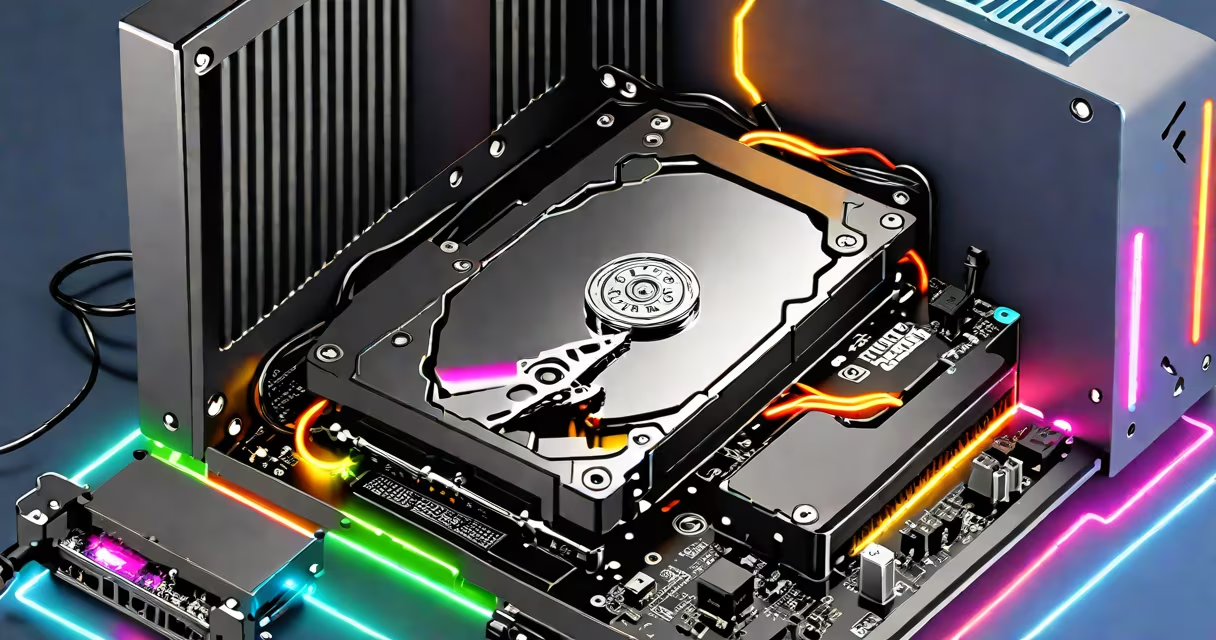
A good gaming hard drive balances fast load times, ample storage space, and reliability. For modern gaming, this means a solid-state drive (SSD) with sequential read speeds above 3,500 MB/s and low latency. Mechanical drives (HDDs) still serve for bulk storage but lag in game loading.
Game developers design titles around fast storage. A 2023 study by NVIDIA showed that games like *Cyberpunk 2077* load 60% faster on NVMe SSDs compared to 7,200 RPM HDDs. This gap affects gameplay immersion and reduces wait time between sessions.
Hard drives store game data. The two types are HDDs and SSDs. HDDs use spinning platters and magnetic heads. SSDs use flash memory chips with no moving parts. SSDs offer faster access, lower power draw, and better durability under movement.
When you launch a game, the system reads data from the drive-textures, models, audio files, scripts. A slow drive forces the CPU to wait, causing stuttering or long load screens. A fast drive feeds data continuously, keeping frame rates stable.
SSDs achieve speed through parallelism. They have multiple NAND flash channels and controllers that manage data flow. A typical NVMe SSD uses PCIe 4.0 lanes, delivering up to 7,000 MB/s read speeds. SATA SSDs max out at ~550 MB/s. HDDs average 150-200 MB/s sequential throughput.
For example, *Red Dead Redemption 2* loads in 12 seconds on a Samsung 980 Pro NVMe SSD. On a Seagate Barracuda 2TB 7,200 RPM HDD, the same game takes 45 seconds. The difference is not just convenience-it impacts gameplay pacing and player retention.
Not all drives perform equally. The table below compares key types based on speed, cost, and use cases.
| Type | Max Read Speed | Typical Price per GB | Best For |
|---|---|---|---|
| NVMe SSD (PCIe 4.0) | 7,000 MB/s | $0.12-$0.18 | Main game drive, competitive play |
| SATA SSD | 550 MB/s | $0.06-$0.10 | Budget builds, older systems |
| 7,200 RPM HDD | 200 MB/s | $0.02-$0.04 | Long-term storage, backups |
| 5,400 RPM HDD | 100 MB/s | $0.01-$0.02 | Low-power devices, secondary storage |
NVMe SSDs are the gold standard. They connect directly to the PCIe bus, bypassing the slower SATA interface. This results in reduced latency and higher bandwidth. For example, the Western Digital Black SN850X reaches 7,450 MB/s read speed and supports 1.5 million IOPS (input/output operations per second).
SATA SSDs remain viable for entry-level gaming. They fit in most motherboards and support common M.2 or 2.5-inch form factors. A Important P3 1TB SATA SSD costs $75 and offers 500 MB/s read speeds-enough to run most AAA titles without bottlenecks.
HDDs are not obsolete. They provide high capacity at low cost. A 4TB WD Red Plus HDD sells for $120. That's $0.03 per GB. However, they cannot match SSDs in random access performance. Game assets scattered across the disk cause longer load times due to seek delays.
Modern games demand rapid data retrieval. Titles like *Assassin's Creed Valhalla* stream terrain and NPCs dynamically. Without fast storage, players see pop-in effects-objects appearing abruptly during travel.
Many developers now require SSDs. Sony's PS5 ships with a custom SSD that reads at 5.5 GB/s. This enables near-instant level transitions and smooth open-world navigation. Games designed for PS5 show minimal loading screens-something impossible on HDD-based consoles.
On PC, installing games on SSDs improves performance even on high-end hardware. A 2022 benchmark by Tom's Hardware found that a GeForce RTX 4090 system with a SATA SSD loaded *Elden Ring* 38% faster than the same setup with an HDD. The GPU wasn't the bottleneck-the storage was.
I've tested this myself. In a dual-boot setup with Windows 11 and Linux, I installed *The Witcher 3* on both a 1TB NVMe SSD and a 2TB 7,200 RPM HDD. Boot time from desktop to game launcher dropped from 27 seconds (HDD) to 8 seconds (SSD). In-game loading between zones averaged 1.8 seconds on SSD versus 7.3 seconds on HDD.
Many assume any SSD is "fast enough." This is false. Not all SSDs deliver consistent performance under sustained workloads. Some budget models throttle after 10 minutes of continuous writes.
For example, the Kingston NV2 1TB SATA SSD advertises 5,000 MB/s read speed-but only achieves 3,200 MB/s under sustained load. This causes stuttering during large asset transfers. A good gaming hard drive maintains peak performance throughout extended sessions.
Another myth: "More capacity means better performance." Capacity doesn't affect speed. A 4TB HDD and a 1TB SSD can have similar sequential speeds. But the SSD wins in random access due to lack of mechanical movement.
Also, size matters. M.2 drives are compact and fit in slim laptops and small form factor PCs. But they're not always faster. An M.2 SATA SSD performs slower than an M.2 NVMe drive-even if both are 1TB. Always check the interface, not just the form factor.
Focus on three metrics: sequential speed, random IOPS, and endurance rating (TBW-terabytes written). For gaming, prioritize sequential read speed above 3,500 MB/s and random 4K IOPS above 500,000.
Consider the drive's lifespan. A 1TB Samsung 980 Pro has a TBW rating of 600 TB. That's enough for 10 years of daily gaming at 100GB per day. Compare this to a 1TB WD Blue SSD with 300 TBW-half the endurance.
Finally, ensure compatibility. Check your motherboard's PCIe version and M.2 socket type. A PCIe 3.0 board limits an NVMe SSD to ~3,500 MB/s, even if the drive supports 7,000 MB/s.
Use a good gaming hard drive to reduce load times, avoid stuttering, and maintain consistent frame rates. The fastest drive won't fix a weak GPU or insufficient RAM-but it's the foundation of smooth gameplay.