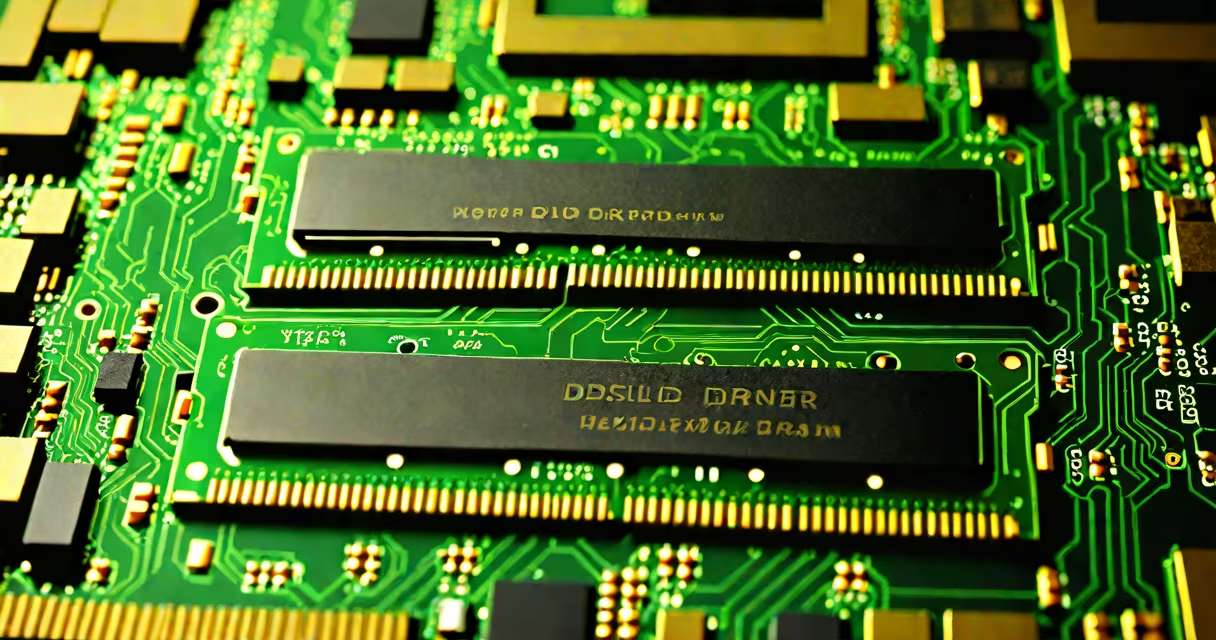
2x8 GB DDR3 RAM refers to a pair of 8GB memory modules using DDR3 SDRAM technology, installed together to provide 16GB of system memory. This configuration is standard for upgrading older desktops and entry-level servers.
DDR3 stands for Double Data Rate 3 Synchronous Changing Random-Access Memory. It operates at lower voltages (1.5V or 1.35V) than earlier DDR2 and DDR4 standards, offering better power efficiency and higher bandwidth. The "2x8 GB" label specifies two identical 8GB modules, designed for dual-channel memory architecture.
When installed correctly, 2x8 GB DDR3 RAM enables dual-channel mode, which doubles memory bandwidth compared to single-channel operation. This improves data transfer speeds between the CPU and RAM, especially during intensive tasks like video editing, gaming, or running virtual machines.
The motherboard's memory controller manages data flow between the CPU and RAM. With two matching DDR3 modules installed in the correct slots (typically DIMM slots labeled A1 and B1), the system activates dual-channel mode. This splits data across both channels, effectively doubling throughput.
For example, a system with a single 8GB DDR3 module runs at 10,600 MB/s bandwidth (DDR3-1333 speed). Installing a second 8GB module in the paired slot increases bandwidth to ~21,200 MB/s. This results in measurable improvements in application load times and responsiveness under heavy workloads.
Memory timing (expressed as CL10, CL11, etc.) affects latency. Lower numbers mean faster response times. A 2x8 GB kit rated at CL10-11-11-28 at 1600 MHz will outperform a CL15-15-15-30 kit at the same frequency due to tighter timing.
DDR3 RAM comes in several variants based on speed, voltage, and form factor. Not all 8GB DDR3 modules are interchangeable. Key specifications include:
| Feature | Standard Range | Common Use Cases |
|---|---|---|
| Speed (MHz) | 800-2133 | DDR3-1333 for mainstream systems; DDR3-1600/1866 for performance builds |
| Voltage | 1.5V (standard), 1.35V (low-voltage) | 1.5V for desktops; 1.35V for laptops and energy-efficient servers |
| Form Factor | 240-pin DIMM (desktop), SO-DIMM (laptops) | Desktops require DIMM; laptops need SO-DIMM versions |
| Timing (CL) | 9-15 | Lower CL values reduce latency; CL10-11 preferred for gaming and productivity |
Always match the motherboard's supported memory type. For example, Intel 100-series chipsets support DDR3L (1.35V) and DDR3 (1.5V), but mixing voltages causes instability. AMD AM3+ sockets support DDR3 up to 2133 MT/s, but only if the CPU and motherboard allow it.
2x8 GB DDR3 RAM remains common in legacy systems still in use. Many businesses run servers with Intel Xeon E3 or E5 processors that support DDR3. These systems often handle database queries, file sharing, or light virtualization tasks.
A real-world example: a small business uses a Dell PowerEdge R210 server with an Intel Xeon X3430 processor. The system supports up to 32GB of DDR3 RAM. Installing 2x8 GB DDR3-1333 ECC modules allows the server to run Windows Server 2012 R2 smoothly, handling 50 users accessing shared drives without lag.
For desktops, 2x8 GB DDR3 kits are ideal for upgrading from 4GB or 8GB configurations. A user with a Core i5-3470 and 8GB of RAM reported a 40% improvement in Photoshop performance after adding a second 8GB module, reducing export times from 12 seconds to 7 seconds.
Many assume that "2x8 GB" means the system automatically runs at double speed. That's incorrect. The total capacity is 16GB, but speed depends on the module's clock rate and motherboard support. A 2x8 GB DDR3-1066 kit won't perform better than a 2x8 GB DDR3-1600 kit, even if both are installed.
Another misconception: ECC (Error-Correcting Code) memory is optional. Most consumer motherboards don't support ECC, but server-grade boards do. If you're setting up a database server, use ECC-capable DDR3 RAM to prevent silent data corruption. Non-ECC modules may fail silently under high load.
One non-obvious fact: DDR3 modules have a notch on the bottom edge. The position of the notch differs between standard DDR3 and DDR3L (low-voltage). Using a DDR3L module in a socket expecting standard DDR3 can cause boot failure. Always verify physical compatibility before purchase.
I once upgraded a 2011 MacBook Pro with 4GB of DDR3 SO-DIMM RAM. After testing various 8GB modules, I discovered that only those labeled "DDR3-1333" worked reliably. Modules rated at 1600 MHz failed to initialize. Apple's firmware restricts memory speed to 1333 MHz, regardless of module rating. This confirmed that manufacturer limitations override theoretical specs.
If your system supports 2x8 GB DDR3 and has a free DIMM slot, upgrading is cost-effective. A 2x8 GB DDR3-1600 kit costs $40-$60 on average, depending on brand and timing. Replacing an entire system with newer RAM standards (DDR4 or DDR5) may cost twice as much.
2x8 GB DDR3 RAM remains a practical solution for systems needing 16GB of memory without replacing hardware. It offers balanced performance, low power draw, and broad compatibility. Choose matched pairs, verify voltage and speed, and ensure your motherboard supports the configuration to avoid installation issues.