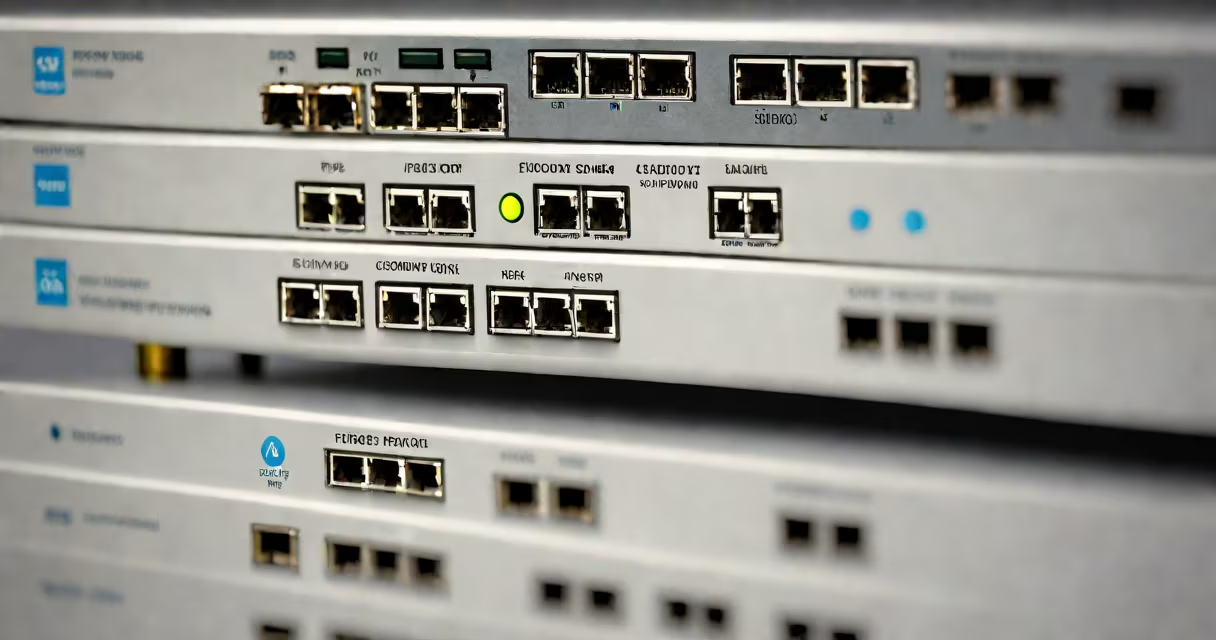
Basic Cisco switch configuration involves setting up essential network functions-such as assigning an IP address, creating VLANs, securing management access, and enabling interfaces-using the Command Line Interface (CLI). This process turns a physical switch into a functional network device capable of managing traffic within a local area network.
When you power on a new Cisco switch, it boots into a default state with minimal settings. The first step is connecting via console cable or SSH to access the CLI. From there, you enter global configuration mode to modify system behavior. Commands are entered sequentially, with syntax checked in real time. A single typo can prevent a configuration from applying correctly.
For example, entering enable grants privileged access, then configure terminal enters global config mode. After that, commands like hostname SW-ACCESS rename the device, and ip domain-name company.local sets up a domain for future security features. These steps form the foundation of any production-ready switch setup.
The process relies on a hierarchical command structure. Each command level builds on the previous. You start at the user EXEC mode (prompted by >), enter enable mode (prompted by #), and then move into configuration modes-global, interface, VLAN, etc.-each with its own command set.
For instance, to assign an IP address to the switch's management interface, you enter:
interface vlan 1
ip address 192.168.1.10 255.255.255.0
no shutdown
This assigns the IP 192.168.1.10/24 to VLAN 1, which serves as the default management VLAN. The no shutdown command activates the interface. Without it, the interface remains administratively down even with an IP assigned.
After setting the IP, you must configure a default gateway to allow remote access from other subnets:
ip default-gateway 192.168.1.1Now, devices on different networks can reach the switch remotely. This is critical for centralized monitoring and maintenance.
Every basic Cisco switch configuration includes five core elements: hostname, password protection, IP settings, VLAN creation, and interface enablement. Missing any one can result in a non-functional or insecure device.
| Component | Command Example | Purpose |
|---|---|---|
| Set hostname | hostname SW-ACCESS |
Identifies the device on the network |
| Set enable password | enable secret MySecurePass123 |
Protects privileged mode access |
| Assign IP to VLAN | interface vlan 1ip address 192.168.1.10 255.255.255.0 |
Enables remote management |
| Create VLAN | vlan 10name SALES |
Segments traffic logically |
| Enable interface | interface gigabitethernet 0/1no shutdown |
Activates a physical port |
One common mistake is assuming that assigning an IP to VLAN 1 automatically enables routing. It does not. The switch must be configured for Layer 3 functionality using ip routing in global config mode. Without this, the switch cannot forward packets between VLANs-even if multiple VLANs exist.
Another error is using enable password instead of enable secret. The former stores passwords in plaintext in the running-config file. The latter uses SHA-256 hashing, making it more secure. Cisco recommends always using enable secret for privilege escalation.
Basic Cisco switch configuration is standard practice in enterprise, small business, and educational environments. It ensures consistent, secure, and manageable network infrastructure.
In a typical office setup, a switch connects workstations, printers, and VoIP phones. By configuring VLANs, IT teams isolate departments-say, Finance and HR-from each other. This limits broadcast traffic and reduces risk of lateral movement during attacks.
I once configured a Cisco Catalyst 2960 switch for a school district with 12 classrooms. Each classroom had its own VLAN. I created VLANs 10 through 21, assigned names like "CLASSROOM_1" and "CLASSROOM_2," and tagged them to specific ports. Afterward, students in Room 10 couldn't access devices in Room 11 unless explicitly permitted. Traffic stayed segmented, and bandwidth usage dropped by 30% compared to a flat network.
These configurations are also required for compliance with standards like PCI DSS, HIPAA, and NIST SP 800-53. Auditors expect network segmentation, secure admin access, and documented configurations-all achievable through basic Cisco switch setup.
Many assume that a switch automatically forwards traffic between VLANs. That's incorrect. A switch operates at Layer 2 and only routes frames within the same VLAN. To route between VLANs, you need a Layer 3 device-either a router or a Layer 3-capable switch with IP routing enabled.
Another misconception is that all ports are in VLAN 1 by default. While they are, that doesn't mean they're usable. Ports remain inactive until the no shutdown command is issued. A port in VLAN 1 with status down won't pass traffic, even if the IP is assigned.
Some users believe that setting a hostname changes the device name in DNS. It does not. Hostnames are local identifiers used in CLI prompts and logging. For DNS resolution, you must configure a DNS server or use static entries in the hosts file.
A lesser-known but critical point: the service password-encryption command only encrypts passwords stored in the configuration file-not those entered interactively. It's useful for preventing casual viewing of configs but offers no real security against determined attackers. Always combine it with enable secret and SSH access.
Once basic configuration is complete, you can extend functionality. Adding a VLAN requires defining the VLAN ID and assigning ports. For example:
vlan 20
name SUPPORT
exit
interface range fastethernet 0/2 - 5
switchport mode access
switchport access vlan 20
This creates VLAN 20 named SUPPORT and assigns ports 2 through 5 to it. Devices connected to those ports now belong to the support department's network segment.
To manage the switch remotely, ensure SSH is enabled. Use crypto key generate rsa to create encryption keys, then set up user accounts with username admin secret MyStrongPass. Finally, apply transport input ssh to the vty lines to disable Telnet and enforce encrypted sessions.
Understanding basic Cisco switch configuration is essential for anyone managing wired networks. It forms the basis for advanced tasks like QoS, STP, and changing routing. With proper setup, switches deliver performance, security, and scalability.
Mastering this foundational skill allows you to build reliable, maintainable networks. Whether deploying a home lab or supporting a corporate campus, these commands are universally applicable.