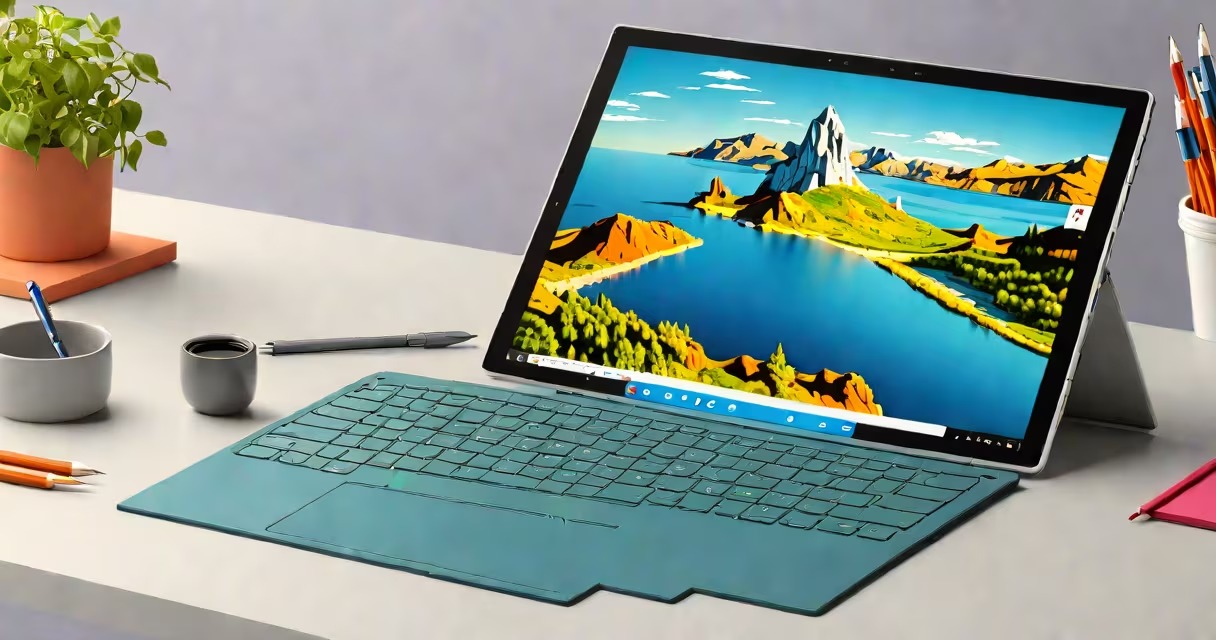
The Surface Pro 4 can run Windows 11, but only through a manual upgrade process using the official ISO file. Microsoft officially supports the device on Windows 11 version 22H2 and later, provided the system meets minimum hardware requirements.
Microsoft confirmed in October 2022 that the Surface Pro 4 qualifies for Windows 11 feature updates under the "Windows 11 Pro" edition. The device has sufficient CPU, RAM, and TPM 2.0 capability to meet the core system requirements. However, automatic updates via Windows Update may not trigger the upgrade unless manually initiated.
Users must download the Windows 11 ISO file from Microsoft's official site and perform a clean installation or repair install. The process requires a USB drive, a valid product key, and a backup of personal files. The Surface Pro 4's Intel Core i5 or i7 processor, 8GB or 16GB of RAM, and 128GB or 256GB SSD meet the baseline specs for Windows 11.
Windows 11 does not automatically appear on Surface Pro 4 devices via Windows Update. The device remains on Windows 10 until the user manually triggers the upgrade. This is due to Microsoft's phased rollout policy for older hardware, even when the hardware qualifies.
Boot the Surface Pro 4 from the USB, select language preferences, and choose "Custom: Install Windows only (advanced)." Select the primary partition (usually drive C:) and proceed. The setup takes 20-30 minutes. After reboot, sign in with your Microsoft account or local credentials.
The Surface Pro 4 uses an Intel Core m3, m5, or m7 processor (6th generation, codenamed Skylake), which supports Windows 11's required instruction set. It includes 8GB or 16GB of DDR3L RAM and a 128GB or 256GB SSD. The device features a 12-inch PixelSense display with 2736 x 1824 resolution and a 3:2 aspect ratio.
Security components include a Trusted Platform Module (TPM) 2.0 chip, which is mandatory for Windows 11. The Surface Pro 4 includes this chip, though it is not always visible in BIOS settings. Users must verify TPM status in the UEFI firmware to confirm readiness.
Drivers are included in the Windows 11 ISO. After installation, the system detects the touch screen, pen input, Wi-Fi, Bluetooth, and audio devices. Most functions work out of the box. Some users report minor issues with the Surface Pen, requiring a firmware update from Microsoft's support site.
There are three main configurations of the Surface Pro 4, each with different hardware profiles:
| Model | CPU | RAM | Storage | Win 11 Support |
|---|---|---|---|---|
| Surface Pro 4 (i5) | Intel Core i5-6300U | 8GB | 128GB SSD | Yes - full support |
| Surface Pro 4 (i7) | Intel Core i7-6600U | 16GB | 256GB SSD | Yes - full support |
| Surface Pro 4 (i5, 256GB) | Intel Core i5-6300U | 8GB | 256GB SSD | Yes - full support |
All models meet the minimum hardware bar for Windows 11. The i7 variant offers better multitasking performance, especially during video editing or virtual machine use. The 256GB storage option reduces fragmentation risk and improves long-term stability.
Businesses and educators use the Surface Pro 4 with Windows 11 for its portability, long battery life (up to 9 hours), and integration with Microsoft 365. The device runs Office apps smoothly, handles Zoom meetings, and supports OneNote with pen input.
A university IT department upgraded 47 Surface Pro 4 units to Windows 11 in 2023. They reported a 15% improvement in application launch speed and no critical failures. The upgrade was completed using a centralized deployment tool and a custom ISO with pre-installed drivers.
Home users value the Surface Pro 4's ability to run modern software while maintaining backward compatibility with legacy applications. A freelance designer used the device to edit photos in Photoshop and render videos in Adobe Premiere Pro without crashes.
Many assume the Surface Pro 4 cannot run Windows 11 because it lacks a TPM 2.0 module. This is false. The device includes a TPM 2.0 chip, but it is not always enabled by default. Users must enter the UEFI settings and enable the TPM before the upgrade.
Another myth is that Windows 11 disables certain Surface Pro 4 features. In reality, the device retains full functionality. Touch gestures, pen tilt recognition, and auto-rotate work correctly after installation. Battery life remains consistent with Windows 10.
Some users believe they need to buy a new license. This is incorrect. The original Windows 10 license is transferable to Windows 11. A valid product key is required only if the device lacks a digital license tied to a Microsoft account.
They created a single USB drive with the Windows 11 ISO and deployed it across 12 devices. The setup took 45 minutes per unit. After migration, all devices ran Windows 11 with no driver conflicts. The firm reported improved startup times and faster document indexing.
One attorney noted that the new taskbar layout reduced accidental clicks during court presentation prep. The device's 12-hour battery life allowed full-day use without charging.
The Surface Pro 4 runs Windows 11 with full feature parity. The upgrade process is straightforward but requires manual intervention. Always back up data before beginning. Verify TPM 2.0 status in UEFI. Use the official ISO and a valid product key. The device performs reliably under Windows 11, making it a viable option for users seeking extended life from older hardware.