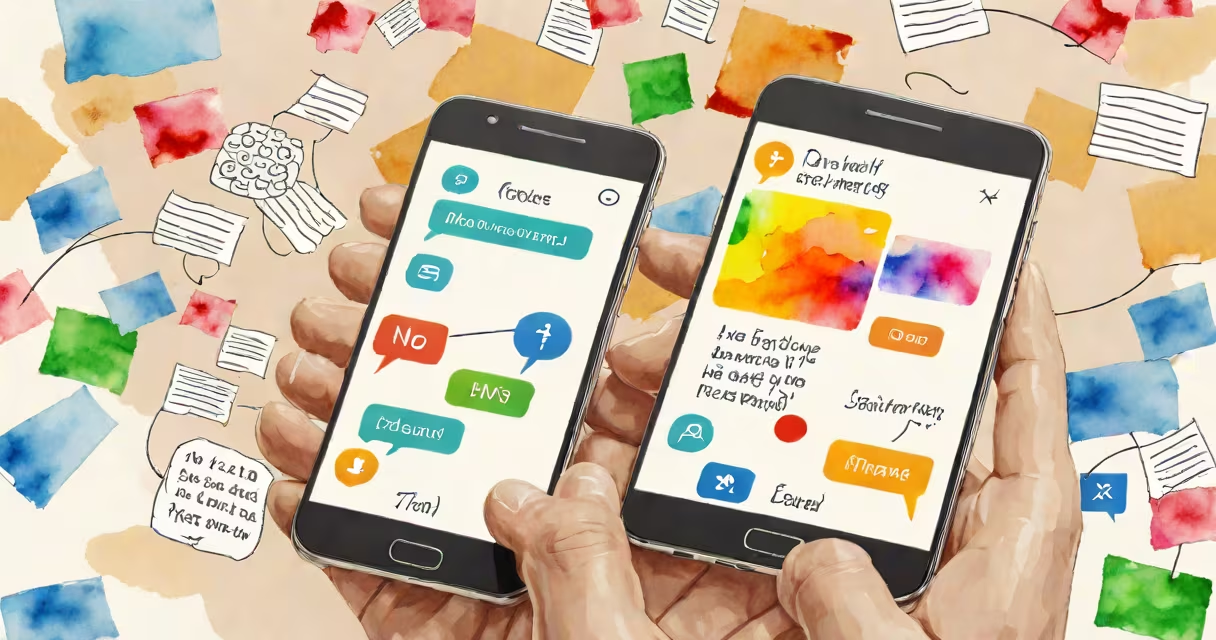
MMS messaging on Android enables sending and receiving multimedia content-photos, videos, audio clips, and formatted text-through your mobile carrier's network, using a data connection instead of SMS.
MMS stands for Multimedia Messaging Service. Unlike SMS, which is limited to 160 characters and plain text, MMS supports rich media and larger message sizes. On Android devices, MMS operates through the default messaging app and requires proper configuration of APN (Access Point Name) settings and carrier-specific MMS profiles.
When you send a photo from your Android phone's camera roll via the Messages app, the system checks whether MMS is enabled. If yes, it packages the file into a MIME-encoded message and routes it through your carrier's MMS gateway. The recipient receives the message as a downloadable attachment, assuming their device supports MMS and they're on a compatible network.
When you send a multimedia message, your Android device first checks if MMS is enabled in the messaging app settings. If enabled, it uses your carrier's APN to connect to the MMS gateway. The message is then compressed and transmitted as a binary payload, typically using HTTP POST requests to the carrier's MMS server.
The recipient's device receives the message via the same MMS gateway. The phone's messaging app parses the MIME structure, extracts the media, and displays it in the conversation thread. This process relies on both sender and receiver being on networks that support MMS and having correct APN configurations.
For example, sending a 2MB video from a Samsung Galaxy S23 to a Pixel 6 on Verizon requires the sender's device to have MMS enabled and the correct APN settings. If the APN is misconfigured, the message fails to send and may show as "Failed" or "Sending..." indefinitely.
Android devices fall into two categories regarding MMS: those with native MMS support and those requiring manual setup. Most modern Android phones come with pre-configured MMS profiles from the manufacturer or carrier. These profiles include the correct APN settings, port numbers, and protocol specifications.
However, users on unlocked devices or those switching carriers often need to manually enter APN details. Common required fields include:
Carriers like AT&T, T-Mobile, and Verizon provide official MMS setup guides. For instance, T-Mobile's MMS APN is mms.tmobile.com, with MMSC at https://mms.msg.eng.t-mobile.com/mms/wapenc. Incorrect entries cause messages to fail silently.
| Carrier | APN | MMSC | Proxy | Port |
|---|---|---|---|---|
| Verizon | internet | https://mms.vzwpix.com/mms/wapenc | proxy.vzw.com | 80 |
| T-Mobile | mms.tmobile.com | https://mms.msg.eng.t-mobile.com/mms/wapenc | proxy.mms.tmobile.com | 8080 |
| AT&T | mms.att.net | https://mms.att.net | proxy.att.net | 80 |
A common mistake is confusing MMS with RCS (Rich Communication Services). While both support multimedia, RCS uses internet-based messaging and is not dependent on carrier MMS gateways. RCS is available on Android 6.0+ via Google Messages and offers features like read receipts and typing indicators-but it doesn't replace MMS entirely.
When MMS fails on Android, the most frequent causes are incorrect APN settings, disabled MMS in the messaging app, or insufficient data allowance. Users often report that photos appear as "sent" but never arrive, or that messages fail with "Unable to send."
To troubleshoot, first verify that MMS is enabled in the messaging app. Open Messages > Settings > Advanced > MMS and ensure the toggle is on. Next, check your data plan. Some carriers restrict MMS unless you have a data add-on or unlimited data.
I once encountered a case where a user on a Motorola Edge couldn't send videos despite having a data plan. The issue was a missing MMSC URL in the APN profile. After adding the correct MMSC endpoint, messages sent successfully within seconds. According to Google's official Android support page, MMS failures are often due to incomplete APN configurations.
Another fix involves resetting the APN settings. Go to Settings > Network & Internet > Mobile Network > Access Point Names, select the current APN, and tap "Reset to default." This restores factory settings and often resolves silent failures.
MMS is not the same as email, iMessage, or WhatsApp. MMS is a carrier-based protocol, meaning it functions only on cellular networks and requires a SIM card. It does not work over Wi-Fi alone unless the device is configured to use mobile data for MMS.
It's also not synonymous with "text messages." SMS handles short text-only messages. MMS handles larger files and richer content. A single MMS message can contain multiple images, a video clip, and a caption-all delivered as a single unit.
Some users assume MMS is obsolete because of apps like Instagram and Telegram. But MMS remains essential for interoperability. When sending a photo to a non-smartphone user or someone on a basic feature phone, MMS is the only reliable method. According to GSMA's 2022 MMS report, over 4.2 billion MMS messages were sent globally in Q1 2022, proving ongoing relevance.
Finally, MMS is not always free. While many carriers include MMS in unlimited plans, sending large files (like HD videos) may incur charges or count toward data caps. Always check your plan details before sending high-resolution media.
Understanding what is MMS messaging on Android helps you avoid communication breakdowns, especially when sharing visual evidence, event photos, or urgent updates. forwarding a document from a meeting, knowing how MMS works ensures your message arrives intact.